Dictation and autocomplete for the Mac
Talk or type it. Nothing leaves your Mac.
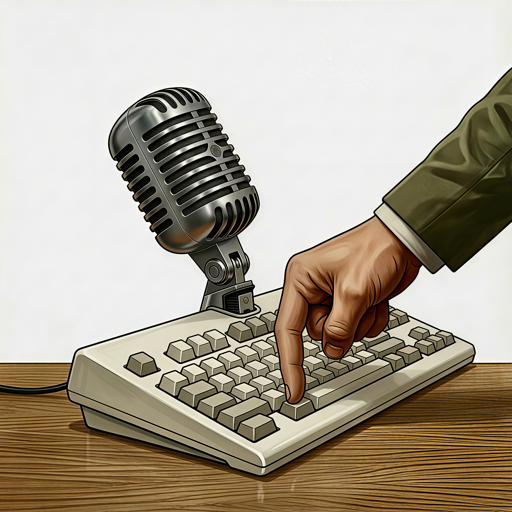
Hold a key and speak, or just start typing and PUSHTYPE finishes your sentence. Two tools in one app, both running on your Mac, both learning how you write.
Voice, the dictation
Hold a key. Speak. Let go.
Your words land wherever you were typing, transcribed on your Mac as you speak.
The “um”s are gone, numbers come out the way you'd write them, and when you change your mind mid-sentence, it follows.
- Text 0.04 s after you let go, 20× faster than the cloud
- Hold Option, Command or Control, or say a wake word
- English and about 25 languages, detected as you speak
- Your dictionary spells names and jargon right
- Works in every app, even with Wi-Fi off
Type, the autocomplete
Gray ahead of your cursor. Tab to take it.
Start typing and the rest of your sentence appears right at the cursor, in the field's own font.
Take it a word at a time with Tab, all of it with one key, or ignore it and keep typing. When you finish a sentence, the next suggestion is already there.
- Mail, Messages, Notes, Safari, Chrome and Claude Code in Terminal
- Your own accept keys and color
- Never in password fields or address bars
- Three open models, 1.3 to 5.3 GB
- Pause any time, or switch off in any app
Two in one
One app for everything you write.
Some sentences are faster said, some are faster typed. PUSHTYPE does both, in every app, with one dictionary, one memory of how you write, and one icon in the menu bar.
Voice
When it's faster to say it.
Your words land wherever you were typing, with the “um”s gone, the numbers written properly and your corrections applied. Transcribed on your Mac as you speak.
Text 0.04 s after you let go · 20× faster than the cloud
Type
When it's faster to type it.
On screen 0.057 s after a key
Plus a teleprompter that follows your voice, for when you're on camera. See it →
It learns you
It learns from how you talk and how you type.
An autocomplete only sees your keyboard. A dictation app only hears your voice. PUSHTYPE has both, so the suggestions it makes are built from everything you write: the emails you dictate and the replies you type. The longer you use it, the more it sounds like you.
What you say
Your dictations, as finished text. Never the audio.
What you type
Your own writing, in the apps where suggestions are on.
Your writing, on your Mac
Encrypted with a key in your Keychain. Never synced, never sent. Off until you switch it on, with a Delete All button and apps you can leave out.
Suggestions that sound like you
When you start writing, PUSHTYPE finds what you've written before on the same subject and suggests the way you'd say it.
One dictionary, both ways
Teach it a name once. Dictation spells it right, and when you type “Kub” it finishes “Kubernetes”, never flagging it as a typo.
About you
Add the name you sign off with and a line about how you write: short and friendly, formal, British spelling. Suggestions follow it.
Reads the room
It sees the email you're replying to, the chat above, the page you're on, and what you just copied. Read at the moment of a suggestion, then forgotten.
Private by design
Your voice and your keystrokes never leave your Mac.
There's no server to trust, because there's no server. The speech model runs on your Mac's Neural Engine and the typing model on its GPU. Your audio is thrown away the moment it becomes text, and what you type is read only to make a suggestion.
No cloud
Speech recognition and suggestions run entirely on your Mac. Nothing you say or type is uploaded, or used to train anyone's model.
No account
No sign-up, no login, no analytics. Buy it, enter your key, start talking.
Works offline
On a plane, in a basement, on hotel Wi-Fi that isn't really Wi-Fi. It only needs the internet to download a model, once.
Syncs across your Macs
Your dictionary and settings follow you to every Mac through your own iCloud. Never through us.
Cleans up as you go
Say it how you say it. Get it how you'd type it.
You change your mind
“The red car, I mean the blue car”
The blue car
Numbers, the way you'd write them
“um, four thirty PM … five million dollars”
4:30 p.m. · $5 million
Quotation marks, out loud
“She replied: quote, not today, end quote.”
She replied: "Not today."
Lists on request
“Number one, milk. Number two, eggs. Number three, bread.”
1. Milk 2. Eggs 3. Bread
Works in every app you type in
Mail, Slack, Notes, your code editor, a browser form. If there's a cursor, PUSHTYPE can fill it.
Knows your words
Teach it the names and jargon it keeps mishearing. Your dictionary follows you to every Mac through your own iCloud.
Measured, not claimed
Done before you look up.
Cloud dictation sends your voice to a server and waits for it to come back. PUSHTYPE never leaves the building, so the text is there the moment you let go, and a suggestion is on screen before your next key.
Voice
Median of 13 readings of the same 25-second passage · 30 Sep 2026 · Mac mini (M4). PUSHTYPE shown with Parakeet Ultra; Parakeet Streaming, the default on English Macs, measured 0.02 s. PUSHTYPE transcribes as you speak; times run from letting go of the key. Wispr Flow = 0.74 s server processing + 0.13 s network.
Type
Median, typing 10 keys a second · 11 Oct 2026 · Mac mini (M4), Best model (Gemma 4 E2B). The clock stops when the suggestion is visible on screen, not when the model finishes.
And for creators: a teleprompter
On your screen. Not in your video.
Record your screen and the prompter isn't in the shot. Your viewers see you and your demo, never the script.
Paste your script and it hangs just under the notch, right by the camera, so your eyes stay on the lens. It scrolls because it heard you say the words, at whatever pace you read, and holds still when you stop or go off-script.
- Follows your voice and marks the exact word you're on
- Or a steady scroll at 60–400 words a minute
- Arrow keys nudge lines and change speed
Everything it does
Two tools. Lots of thought.
Watch it listen
With Parakeet Streaming, the default in English, your words stream into the pill while you're still talking, so you know it heard you before you let go.
Pick your key
Option, Command or Control, left or right. Hold it to talk, let go to paste. Esc cancels mid-sentence.
Or just say the word
Pick a wake word and start dictating hands-free. It stops by itself after a second of silence.
Put the pill where you look
Hanging from the notch, or floating at the bottom of the screen. Three sizes.
While you talk
- Hold a key, or say a wake word
- Lowers other apps' volume, then restores it
- Choose which microphone to use
- Optional sound when recording starts
- English plus about 25 languages, detected automatically
- Switch language from the menu bar
Cleaning up
- Drops “um” and “uh”
- Follows “I mean”, “no wait”, “scratch that”
- Times, money and percentages, done right
- “Quote … end quote” gives real quotation marks
- “New line”, “new paragraph” and lists
- Adds the question mark the model forgot
Your words
- Personal dictionary for names and jargon
- Fixes that apply always, or only in context
- Dictionary words complete as you type
- Two spaces after a full stop, if you like
- Syncs across your Macs with your iCloud
- California mode, if you need it
While you type
- Gray suggestions in the field's own font
- Tab for a word, ` ~ for all of it, or your own keys
- Uses the email or chat you're replying to
- Three open typing models
- Pause, or switch off per app
- Stays out of sign-in fields and address bars
Learns you
- From your dictations and your typing
- Finished text only, never audio
- Encrypted on your Mac, never synced
- Off until you turn it on
- Leave out any app
- Delete All, any time
Stays out of the way
- Lives in the menu bar, no Dock icon
- Turn Dictation or Type on and off from the menu
- Opens at login if you like
- Works offline once models are downloaded
- Updates itself quietly
- A short guided setup on first launch
Made in Los Angeles
California mode
One switch takes the "like" out of your sentences. It was, like, made by someone who needs it.
“So like I went to the store and like bought milk. It was, like, amazing. We should like totally go back. Let's like take the 405.”
“So I went to the store and bought milk. It was amazing. We should totally go back. Let's take the 405.”
It knows the difference. These stay:
Dictation speaks your language
English and about 25 European languages, detected as you speak with Parakeet Ultra. Chinese, Japanese, Arabic, Hindi, Russian, Greek and more with the multilingual model.
Pricing
Pay once. Talk and type forever.
Voice and Type, one price. No subscription, no word limits, no tiers. Every update we ship for PUSHTYPE on the Mac is included.
For comparison: a year of Wispr Flow Pro is $144.
- Dictation and Type, both included
- Up to 3 Macs
- Every future update included
- All speech and typing models
- 14-day refund, no questions
Checkout opens at launch. More Macs? $12 each. Taxes handled by Polar.
Questions
Does it need the internet?
Only to download the models, once: about 600 MB for dictation, and 1.3 to 5.3 GB for Type depending on the model you pick. After that, both work with Wi-Fi off.
Which Macs?
Any Apple silicon Mac (M1 or later) on macOS 15 or newer. The largest typing model wants 16 GB of memory; the others run on any of them.
What does “every update” mean?
Every version of PUSHTYPE for the Mac we release, free, for as long as we make it. No paid upgrades, no subscription.
Is it really private?
Your audio, your transcripts and what you type never leave your Mac. The privacy policy lists the few things that do connect: model downloads, update checks, licence checks with Polar and optional iCloud sync.
Does Type learn from what I write?
Only if you switch on “Learn from my writing and voice”. Then it keeps what you type and dictate, encrypted on your Mac, so suggestions sound like you. It's never synced or sent, and Delete All erases it.
Can I use just one of them?
Yes. Dictation and Type each have their own switch in the menu bar and in Settings. Use one, the other, or both.
What if it's not for me?
Email us within 14 days for a full refund. No questions, no forms.
Buying for a team?
One licence per person. Write to us for 10 or more and we'll sort out a volume price.